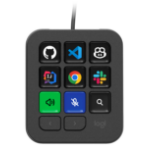
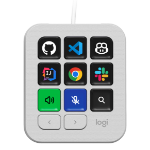
AI control at your fingertips. Use MX Keypad to trigger AI agents, automate tasks, and control your favorite tools with a single tap. Works with VS Code, GitHub Copilot, Claude Code, IntelliJ, Zoom, Figma, and more.
Your keys to flow & AI control
Customizable LCD keys that put everything you need within a single press. Control your AI tools, automate your workflow, and switch context instantly — keeping you in the flow from deep coding to daily productivity.
App-aware context switching
MX Keypad detects your active app and instantly swaps tools as you move between VS Code, Slack, Figma, and more. No distractions, just flow.
Design your workflow, key by key
Personalize every key with custom shortcuts, macros and toggles. Organize actions across multiple pages, design your own icons, and make your keypad work exactly the way you do.
Build and expand from your editor
Manage your plugin and add new actions directly from VS Code. You can also add actions from your installed extensions.